
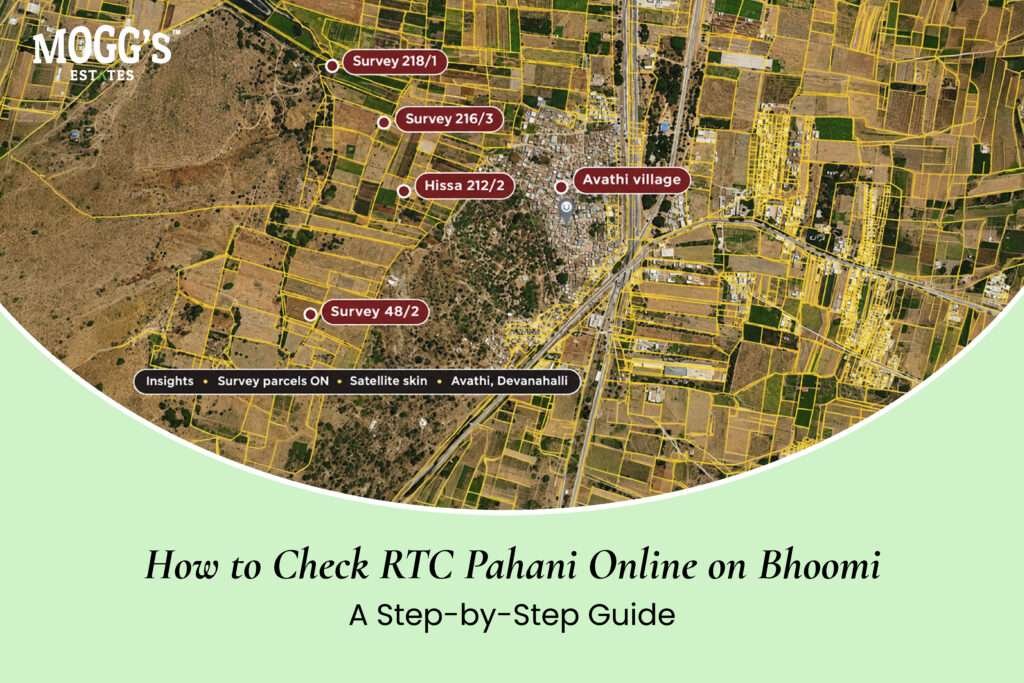
Quick answer: To check the RTC pahani online in Karnataka, open the official Bhoomi land records portal, choose the district, taluk, hobli, and village, then enter the survey number and any sub-division (hissa) number. The result shows the recorded owner, the extent, the land classification, and any remarks. The RTC is a revenue record, not proof of title. Compare it with the sale deed, check the mutation status, and review the Encumbrance Certificate separately before you pay anything beyond a refundable booking amount.
Before you visit a plot or pay a booking amount, many buyers want to see what the land records say. The Bhoomi RTC online search is one of the quickest ways to do that. It takes minutes, and it can reveal a mismatch before you spend money on lawyers, surveyors, or travel. This guide explains how to find the RTC pahani, how to read each section, how to check mutation status, and what the record cannot tell you.
What the RTC and Pahani Are
Anyone searching for a bhoomi RTC online check should know that the record is a revenue document, not proof of title.
The Record of Rights, Tenancy and Crops, known as the RTC, is the revenue record for agricultural land. In Karnataka, people commonly call it the pahani. The revenue department maintains it, and it lists the recorded owner, the survey number, the extent of the land, the land classification, and cultivation details.
The RTC matters for three reasons. It shows who the revenue system recognizes as the owner. It confirms the extent recorded against the survey number. It can also show remarks about tenancy or other rights linked to the land. It does not establish title on its own, and it does not replace the sale deed or the Encumbrance Certificate.
Why Check the RTC Before Anything Else
Checking the RTC early saves time and money. If the owner name, survey number, or extent does not match the seller’s documents, you have a question to answer before you spend on other checks. The RTC also shows whether the mutation after an earlier sale has been recorded, which tells you whether the revenue books have caught up with the registered transactions.
A matching RTC is not a guarantee. Revenue records can lag behind real transfers, and errors happen. Treat the RTC as the first of several checks, not the final answer.
What You Need Before You Start
Collect these details from the sale deed or the seller’s papers before you open the portal:
- The district, taluk, hobli, and village where the land is located
- The survey number, including any sub-division (hissa) number
- The name of the registered owner, exactly as it appears on the sale deed
- The extent stated in the sale deed
Having these details ready makes the search faster and reduces the chance of opening the wrong record. A single digit error in the survey number can bring up a different parcel.
Step-by-Step: Checking the RTC Online
Portal menus and screens can change, so confirm each step on the official site as you go.
This step-by-step process covers the bhoomi RTC online search from start to finish.
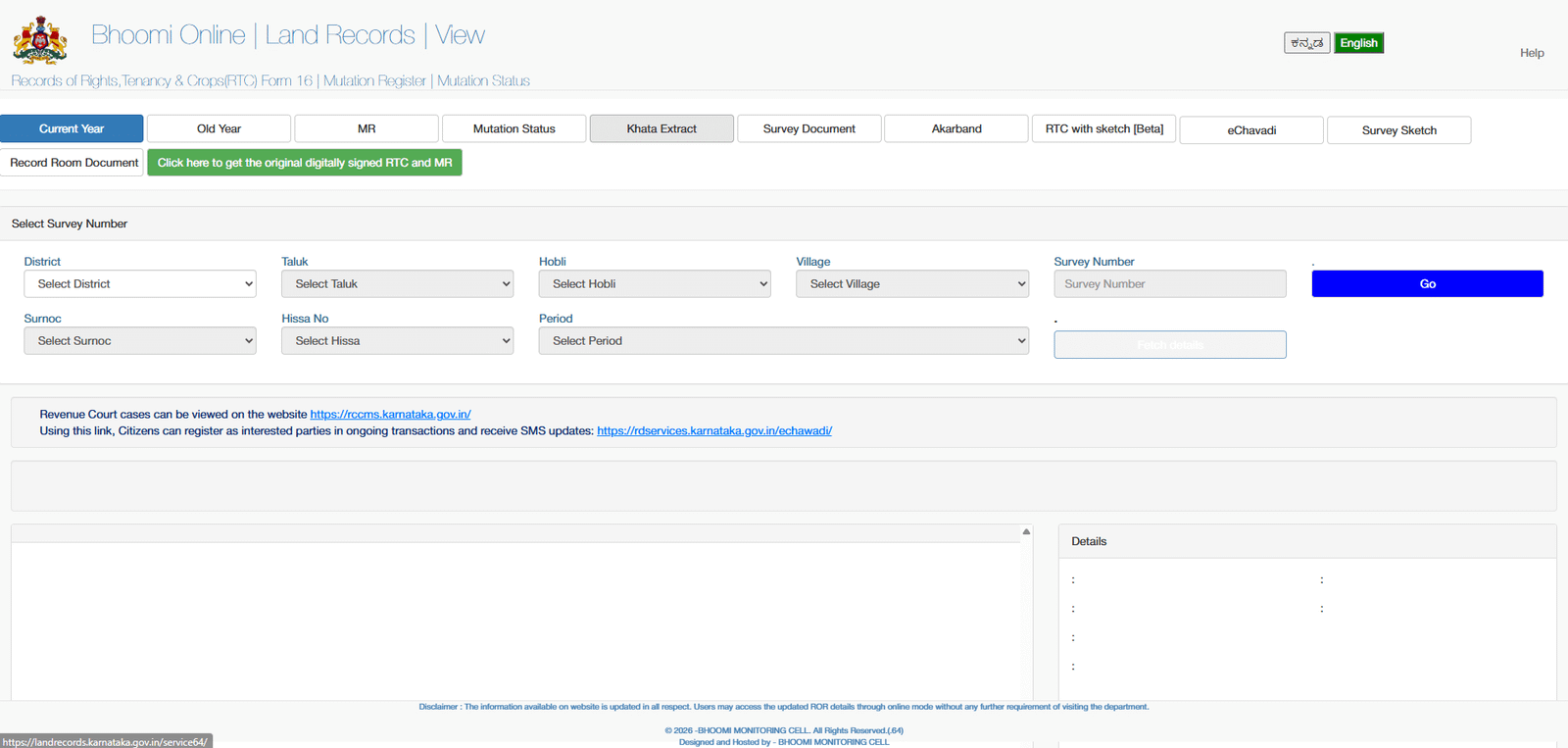
Step 1: Open the official portal: Search for Karnataka’s official Bhoomi land records portal, and confirm that the address belongs to the government before you enter any details. Avoid third-party websites that charge for basic searches or ask for personal information you do not need to share.
Step 2: Find the RTC or pahani view: Look for the option that displays the RTC or pahani for a survey number. Ignore map pages or payment pages if you only want the record.
Step 3: Select the location: Choose the district, taluk, hobli, and village in the order the portal requests. Choose each option carefully, because similar village names can exist in different taluks.
Step 4: Enter the survey number: Type the survey number exactly as it appears in the sale deed. If the land is a sub-division, enter the hissa number too.
Step 5: Review the result: Read the owner name, the extent, the land classification, and the remarks. Work through each section, as explained below.
Step 6: Save a dated copy: Save or print the record, and write down the date you checked it. Revenue records change over time, so a dated copy shows what the record said when you looked.
If the portal returns no record, check the spelling of the village and the survey number, and confirm the sub-division. If the record still does not appear, contact the taluk revenue office and ask them to confirm the correct survey number.
How to Read Each Section of the RTC
An RTC or pahani contains several sections. Read each one against the sale deed, and note any difference.
Owner details: This section shows the name of the person recorded as the holder, and sometimes an address. Compare the spelling, initials, and any father’s or husband’s name with the sale deed. A small spelling variation may be harmless, but it should be explained in writing.
Extent: This is the area recorded for the survey number or sub-division. It should match the sale deed, the layout plan, and any survey sketch. Check the unit as well as the figure, because a mix-up between units can distort the comparison.
Land classification: The record may show whether the land is recorded as dry, wet, garden, or another category. Classification affects what you can do with the land and which rules apply. It is not the same as the zoning or conversion status, so check those separately.
Cultivation and crop details: The crops recorded for each season describe past or current use. These entries show how the land has been used, not who owns it. A crop entry that contradicts what the seller describes is a reason to ask questions.
Tenancy and other remarks: This section can record a tenant, a lease, a cultivation right, or another interest. Ask the seller to explain any entry you do not understand, and take legal advice if a tenancy or claim appears.
The RTC describes the land for revenue purposes. It does not show every mortgage, claim, or pending case, so read it alongside the Encumbrance Certificate and the title documents.
Checking Mutation Status Online
A mutation entry is one of the first things to look for when you run a bhoomi RTC online search for a purchased plot. Mutation updates the revenue record after a transfer, such as a sale, inheritance, or partition. After you buy agricultural land, the mutation entry in your name shows that the revenue system reflects your ownership. Without it, the RTC may still show the previous owner, even though the sale deed has been registered.
On the portal, look for a mutation or mutation status option for the survey number. Check whether the entries for the seller’s ownership have been recorded, and whether any mutation application is pending. A pending mutation is not always a problem, but you should know the reason and the expected timeline.
Compare the mutation entries with the chain of registered sale deeds. Each registered transfer should have a corresponding mutation entry. A gap in the mutation history is a question to raise with the seller and your lawyer.
Comparing the RTC with the Sale Deed
A simple comparison table helps you spot problems quickly. Fill in one row for each item, using the sale deed, the RTC, and the mutation record.
| Item | Sale deed | RTC or pahani | Mutation record |
|---|---|---|---|
| Owner name | |||
| Survey number and hissa | |||
| Extent (with unit) | |||
| Land classification | |||
| Date of transfer |
Mismatches need a written explanation. Common causes include a spelling error, an unrecorded mutation, a sub-division that has not been reflected, or a mistake in the revenue record. Some issues are simple corrections. Others need a lawyer to examine the file and the earlier transfers.
Red Flags to Watch For
Some findings should stop a purchase until they are explained. Watch for these signs:
- The owner name in the RTC does not match the seller’s name on the sale deed.
- The extent differs from the sale deed, and nobody can explain why.
- Mutation entries are missing for earlier registered transfers.
- A recent mutation appears with no matching registered deed.
- The survey number has been changed or divided without a clear record.
- The seller cannot produce earlier RTC copies or mutation orders.
If any of these appear, check the file with a property lawyer and the revenue office before you pay beyond a booking amount.
What the RTC Cannot Tell You
The RTC is useful, but it has clear limits.
It does not prove title. A clean title requires the sale deed chain, the title search, and the Encumbrance Certificate. Revenue records and title records answer different questions.
It may lag behind recent transactions. A sale can be registered before the mutation is recorded, so a current RTC does not always reflect the latest transfer.
It does not show unregistered agreements or disputes that were never recorded. A case filed in a court may not appear in the revenue record, so ask for litigation checks separately.
It does not confirm building permission or conversion status. Use the revenue records to understand the classification, then check approvals and conversion orders for any structure you plan to build.
It does not replace the Encumbrance Certificate. Mortgages, loans, and other registered charges appear in the EC, not in the RTC.
Use the RTC as one check among several, not as the final word.
Getting Certified Copies for a Transaction
Viewing a record online is not the same as obtaining a certified copy. A certified copy carries more weight in a transaction and may need to be collected from the revenue office. Procedures and fees can change, so check the current process on the official portal or at the taluk office before you rely on a copy.
Ask your lawyer which copies they need for your file. Usually this includes the RTC, the mutation entries, and the Encumbrance Certificate, along with the sale deeds in the chain of title.
What to Do If the Record Is Wrong
If you find an error, gather the evidence before you do anything else. Collect the sale deed, any earlier orders, the seller’s identity documents, and a certified copy of the current record.
Apply for a correction through the taluk revenue office, and keep every receipt and acknowledgement. Do not complete the purchase until the correction is recorded, or until your lawyer confirms the position in writing. A verbal promise from the seller or a broker to “fix it later” is not enough.
A Practical Checklist for Buyers
Use this checklist each time you run a bhoomi RTC online search
- Confirm that you are on the official government portal.
- Enter the district, taluk, hobli, village, survey number, and hissa number.
- Read the owner, extent, classification, and remarks sections.
- Check the cultivation and tenancy entries for anything unusual.
- Review the mutation status for every earlier transfer.
- Compare the results with the sale deed and the Encumbrance Certificate.
- Save a dated copy, and note any mismatch.
- Ask a property lawyer to review the file before you pay beyond a refundable booking amount.
Key Takeaways
- The RTC, or pahani, is the revenue record for agricultural land in Karnataka, and the Bhoomi portal lets you view it online.
- Search by district, taluk, hobli, village, survey number, and hissa number, and check the spelling of each.
- Read the owner, extent, classification, cultivation, and remarks sections, and compare them with the sale deed.
- Check the mutation status to confirm that earlier transfers are reflected in the revenue books.
- An RTC does not prove title, and it does not show every mortgage or claim.
- Pair the RTC with the Encumbrance Certificate, the sale deed chain, and a lawyer’s review before you commit.
FAQs:
What is the difference between RTC and pahani?
They refer to the same revenue record for agricultural land. RTC is the formal name, and pahani is the common name used in Karnataka.
Is an online RTC legally valid?
Revenue records are official, but an RTC does not prove title by itself. Check it alongside the sale deed chain, the mutation records, and the Encumbrance Certificate.
How do I check the RTC by survey number in Karnataka?
Use the official Bhoomi land records portal. Select the district, taluk, hobli, and village, then enter the survey number and any sub-division or hissa number.
Can I check the RTC without a survey number?
Most searches need the survey number. If you do not have it, take it from the sale deed, or ask the seller or the taluk revenue office.
What should I do if my name is not on the RTC after buying land?
A mutation may still be pending. Check the mutation status on the portal, and ask the revenue office about the status of your application.
Does the RTC show mortgages or loans?
Not in the way an Encumbrance Certificate does. Check the EC for registered mortgages, loans, and other charges.