
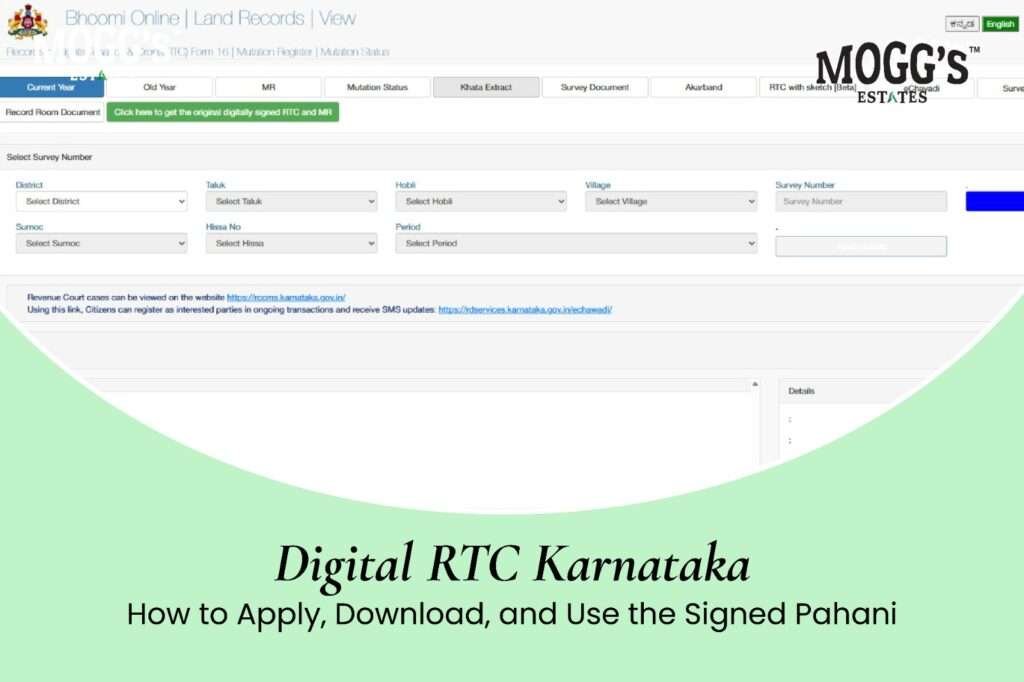
Quick answer: A digital RTC in Karnataka is the digitally signed copy of the Record of Rights, Tenancy and Crops, also called the pahani. Banks, registration offices, government departments, and courts commonly ask for it. The free RTC view on the Bhoomi portal is for checking details only. The signed copy is downloaded from the i-Wallet portal after a citizen login with a mobile number and OTP. The official i-Wallet page lists the fee as Rs 15 per RTC. Check the free view first, correct any errors before you pay, and confirm the current process on the official portal or at your taluk office, because fees, login steps, and the RTC format can change.
Whether you are applying for a crop loan, selling farmland, or registering for a government scheme, the RTC is usually the first paper you will be asked for. Earlier, a copy meant a visit to the taluk office and a long queue. Today, a signed copy can be downloaded and printed in a few minutes. This guide explains what a digital RTC is, how it differs from the free online view, where it is needed, how to download it step by step, what the new format is expected to include, and how to solve the problems that most often delay people.
What Is an RTC (Pahani)?
RTC stands for Record of Rights, Tenancy and Crops. It is the main land record for agricultural land in Karnataka, maintained by the Revenue Department through the Bhoomi system. Most people in the state simply call it the pahani.
An RTC generally shows the following details:
- The name of the owner or owners, along with the survey number and hissa
- The extent of land in acres and guntas, and the type of land
- The crops grown and the season
- Loans or other liabilities recorded against the land
- Details of any tenancy recorded on the land
The RTC describes what the revenue record shows on the date it was issued. It does not, on its own, prove title. A buyer or lender should read it alongside the sale deed, the mutation records, the Encumbrance Certificate, and the survey documents. For a digital RTC Karnataka copy, always check the record against the sale deed first. Our guide to the RTC land record in Karnataka explains each section in more detail.
Why a Digital RTC Matters
The digital RTC matters because most formal transactions require an official, signed copy rather than a screenshot or an unsigned printout. A signed copy gives the receiving office confidence that the record was issued by the government system. It also saves time, because the copy can be produced online at any hour, instead of being collected from a counter during office hours.
For a farmer or a landowner, a recent signed copy is often the difference between a quick approval and a delay. Banks, registration offices, and officials usually prefer a copy issued within a short time before the transaction, so the date of download matters as much as the record itself.
Free RTC View Versus the Digitally Signed RTC
The two versions of a digital RTC Karnataka record serve different purposes
| Point | Free RTC view | Digitally signed RTC (i-RTC) |
|---|---|---|
| Portal | Bhoomi land records portal | i-Wallet services portal |
| Fee | Free | Rs 15 per RTC, as listed on the official i-Wallet page |
| Login | Not needed | Citizen login with mobile number and OTP |
| Main use | Checking the details before you apply | Bank loans, land registration, courts, and government offices |
The free view is useful for checking. If the owner name, survey number, extent, or crop entries are wrong, you can identify the problem before you spend money on a signed copy. Some older websites still quote Rs 10 as the fee. The safest approach is to go by the amount shown on the payment screen at the time you pay.
Where You May Need a Digital RTC
Several common situations call for a signed RTC. The table below shows the most frequent ones and the reason each office asks for it.
| Purpose | Why the RTC is asked |
|---|---|
| Crop loan or Kisan Credit Card | The bank checks ownership, land extent, and crops before setting the loan limit |
| Sale, purchase, or partition of land | Confirms who owns the land and whether any loan is recorded on it |
| Government schemes and subsidies | Shows that the applicant is a landholding farmer |
| Crop insurance and crop loss relief | Links the land and crop details to a claim |
| Court cases and disputes | Shows the recorded rights over the land |
If you are planning a bank loan for land, our guide to a loan for agricultural land purchase explains the other documents that lenders may ask for. For insurance, see our guide to crop insurance in Karnataka.
What to Keep Ready Before You Start
Having the right details at hand makes the process much faster. Prepare the following before you open either portal:
- The district, taluk, hobli, and village where the land is located
- The survey number, surnoc, and hissa number. An old RTC copy is very helpful for finding these.
- A mobile number for login and OTP
- Your Aadhaar, in case e-KYC is requested during login
- A net banking account, debit card, or other online payment option for adding money to the wallet
A single wrong digit in the survey number can bring up a different parcel, so check each number against the sale deed or the old RTC.
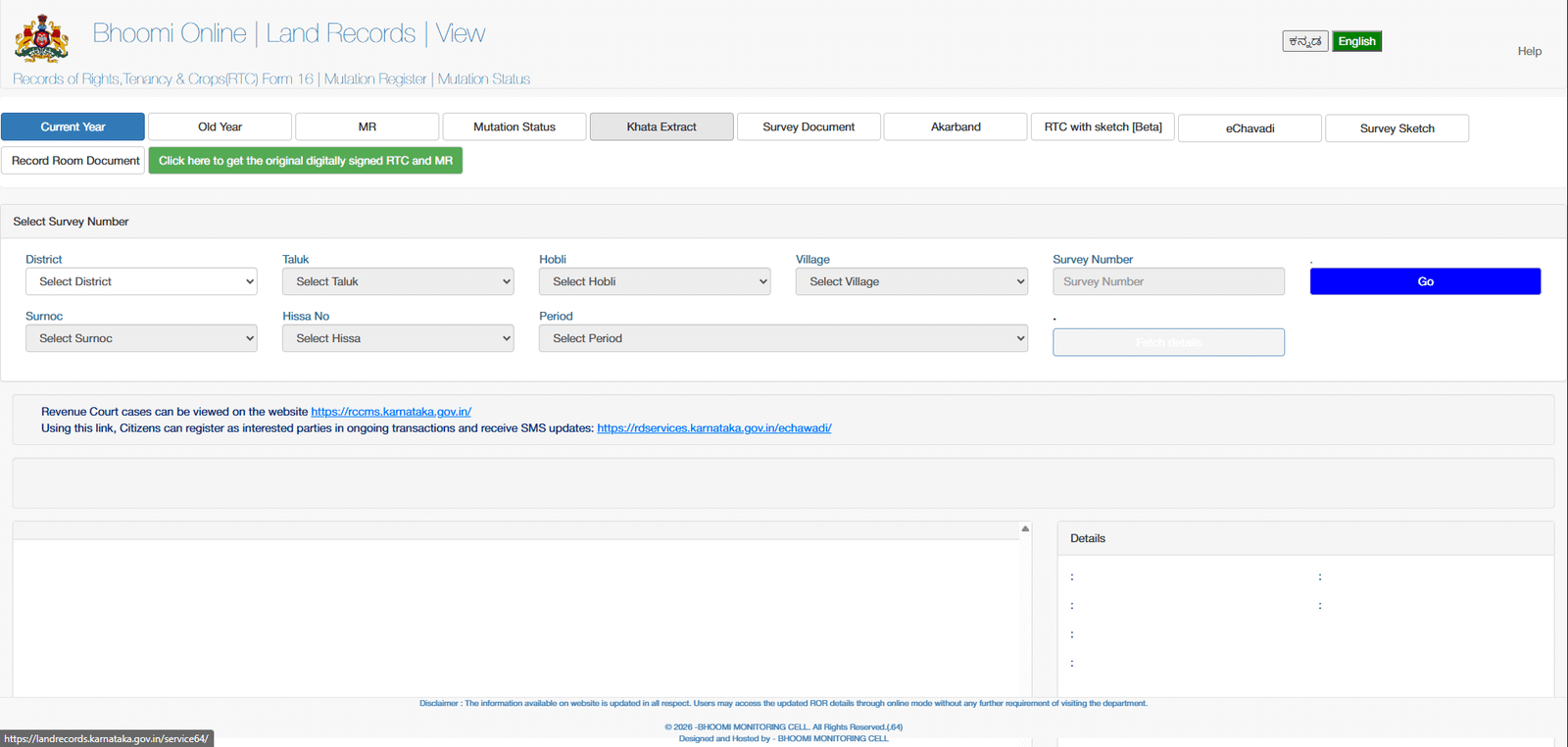
How to View Your RTC for Free
The free view should always come first. It costs nothing, and it shows whether the record is correct.
- Open the Bhoomi land records portal.
- Choose the option to view the RTC and the mutation register.
- Select the district, taluk, hobli, and village, in the order the portal requests.
- Enter the survey number, then choose the surnoc, hissa, period, and year.
- Fetch the details, and check the owner name, the extent, and the crop entries.
If the record shows an error, do not pay for a signed copy until the error is explained or corrected. A signed copy of a wrong record still shows the wrong details. For a fuller walk-through of the search, see our guide to check the RTC pahani online on Bhoomi.
How to Get the Digitally Signed RTC Online
Once the free view is correct, follow these steps on the i-Wallet portal. Screens and menus can change, so confirm each step as you go.
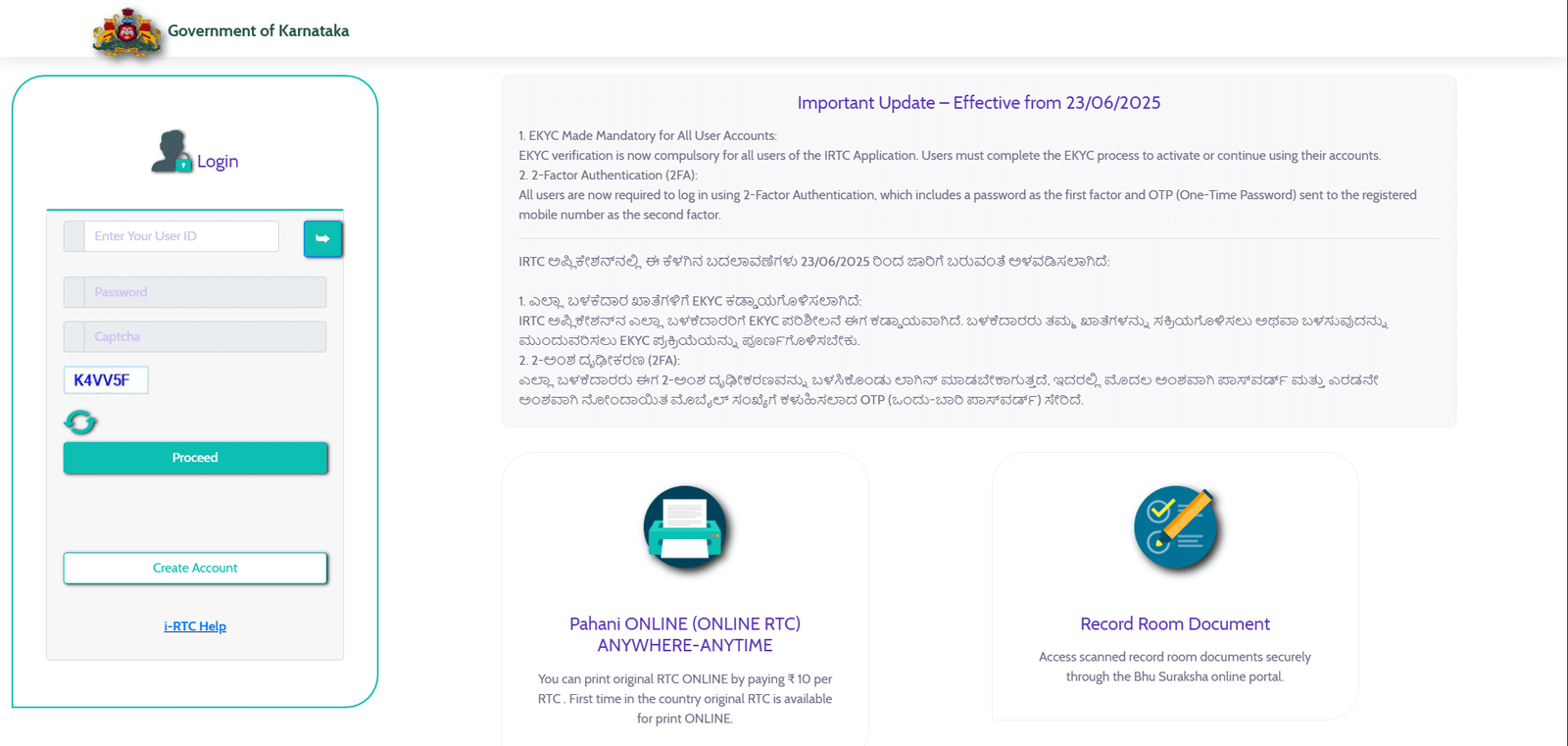
Step 1: Open the i-Wallet portal: Go to the i-Wallet services site for digitally signed RTCs and choose the citizen login.
Step 2: Register or log in: A new user registers with a mobile number. An existing user logs in with the password and the one-time password (OTP) sent to the phone. Never share the OTP with anyone.
Step 3: Add money to the wallet: Recharge the i-Wallet online using net banking, a debit card, or another listed payment option. The fee is deducted from this wallet balance.
Step 4: Select the land: Choose the district, taluk, hobli, village, and survey number, then the surnoc, hissa, and year.
Step 5: Pay and download: Pay the fee from the wallet, and download the signed RTC as a PDF.
Step 6: Save and print: Keep the PDF on your phone or computer, and print at least one copy for the bank or office. Check that the printout matches the portal record.
If the money was deducted but the RTC did not download, use the “Get Your Missed i-RTC” option on the same portal, with your order number. You should not need to pay again. If the option is not available, keep the transaction details and contact the helpline or the taluk office.
Getting a Digital RTC Without a Computer
Not everyone is comfortable with online steps. For those who prefer help, there are two alternatives.
The first is the Bhoomi counter at the taluk office. Staff there can help you find the record and produce a copy.
The second is a Nadakacheri centre in your hobli. The i-Wallet system also allows local service providers to open an i-Wallet account, with a wallet limit of up to Rs 10,000, to offer Bhoomi and Nadakacheri services to farmers. A nearby authorized centre may therefore be able to print your signed RTC. Ask for a receipt, and check the printed copy before you leave the counter.
Using the Digital RTC Correctly
Before you submit a digital RTC Karnataka copy, check the following details:
- The owner name matches your identity documents and the sale deed.
- The survey number and hissa match the sketch and the sale deed.
- The extent in acres and guntas matches the agreement.
- The crop entries do not contradict what you have been told about the land.
- Any loan entry is explained, and any tenancy entry is understood.
If a difference appears, do not ignore it. Ask the seller or project team for an explanation in writing, and consult a property lawyer before you go further. A pending mutation is the most common reason for a mismatch, so check the mutation status on the Bhoomi portal as well.
The New RTC Format
On 9 September 2026, the Government of Karnataka reportedly issued an order revising Form 16-A under the Karnataka Land Revenue Rules, 1966. According to reports of the order, the revised format is expected to include the following:
- A geo-referenced survey sketch of the land
- An overview map of the survey number and hissa
- ULPIN, the 14-digit unique land parcel number
- An Open Location Code to help locate the land
- A QR code to view the authorised land record
These additions may make it easier for banks and buyers to check that the land and the record match. The format may be introduced in phases, so an RTC may still show the older layout for some time. For the land sketch, the Bhoomojini survey portal provides survey and sketch services. Confirm the order and its implementation date with the Revenue Department before you rely on the new format.
Common Problems and What to Do
Most difficulties fall into a few patterns. The table below lists each one and the practical response.
| Problem | What you can do |
|---|---|
| Survey number not found | Check the surnoc and hissa from an old RTC. If the village has moved to a new taluk, select the new taluk. |
| Old owner’s name still showing after purchase or inheritance | Check the mutation status on the Bhoomi portal. The RTC is updated only after the mutation is approved. |
| Spelling mistake, wrong extent, or wrong crop | Meet the village accountant, or apply at the taluk office for correction with supporting papers. |
| Payment made but RTC not downloaded | Use “Get Your Missed i-RTC” with the order number. |
| OTP not received | Check the network, confirm the registered mobile number, and try again after a short wait. |
Where a correction is needed, keep every receipt and acknowledgement. Ask the office for a written reference number, because you may need it later.
Practical Tips for Using the Digital RTC
These habits make a digital RTC Karnataka copy easier to use:
Download a fresh copy close to the date you need it: Banks and registration offices usually prefer a recent signed copy, so an old printout may be refused.
Check the free view before paying: This avoids spending on a copy that contains errors.
Never share your OTP or portal password: This includes agents who offer to download records for a fee. Use only the official portals or authorised counters.
Keep your land details linked: Many schemes read land data from Bhoomi, so a correct record helps with farmer registration and scheme applications. For the farmer identity portal, confirm the current registration process on the official FRUITS portal.
Check the mutation after any purchase or inheritance: A pending mutation is the most common reason the name on the RTC does not match the new owner.
Store the PDF safely: Keep a copy on your phone and another on a computer or cloud folder, with the download date in the file name.
Digital RTC and Managed Farmland
Buyers of managed farmland should request a signed RTC for each plot they are considering. The digital RTC Karnataka should show the owner, the survey number, the hissa, the extent, and the classification, and it should match the sale deed and the layout plan. Ask the project team to share the signed copy, and check it yourself rather than relying on a summary.
A signed RTC does not confirm the management arrangement. It also does not show whether a farmhouse, a stay, or any other structure is permitted. Those questions depend on the land’s classification, the approvals, and the project terms, and they need separate written confirmation. For the wider checks, see our guide to land due diligence for farmland.
Official Portals at a Glance
| Official portal | What you will find |
|---|---|
| Bhoomi land records | Free RTC view, mutation register, and mutation status |
| i-Wallet services | Digitally signed RTC, missed RTC, and wallet services |
| Mojini | Survey and land sketch services |
| FRUITS portal | Farmer ID registration linked to Bhoomi land records |
Confirm each portal address on the official government site before you use it, since addresses and screens can change. Do not use a third-party site that charges more than the official fee or asks for your OTP.
Key Takeaways
- A digital RTC in Karnataka is the digitally signed copy of the pahani that banks, offices, and courts commonly require.
- The free RTC view is for checking details. Use the signed copy for official purposes.
- The official i-Wallet page lists Rs 15 per RTC, so confirm the amount on the payment screen.
- Check the record first, correct any errors, and then download the signed copy when it is needed.
- A pending mutation explains most cases where the old owner’s name still appears.
- The new RTC format, with a geo-referenced sketch, ULPIN, and QR code, is expected to be introduced in phases.
- A signed RTC is one document in a land review, not a substitute for title checks by a property lawyer.
FAQs:
What is a digital RTC in Karnataka?
It is the digitally signed copy of the Record of Rights, Tenancy and Crops, also called the pahani. Banks and offices usually accept it as the official copy of the record.
What is the fee for a digitally signed RTC?
The official i-Wallet page lists Rs 15 per RTC. Confirm the amount on the payment screen when you pay, because older websites may quote a different figure.
Is the free RTC view valid for a bank loan?
Generally, no. Banks and offices usually ask for the digitally signed RTC, so the free view is best used for checking.
Can I download a digital RTC on my mobile phone?
Yes. You can log in to the i-Wallet portal on a phone, pay from the wallet, and save the PDF.
What if my payment was deducted but the RTC did not download?
Use the “Get Your Missed i-RTC” option with your order number. You should not need to pay again.
Why does my RTC still show the old owner’s name?
The name changes only after the mutation is approved. Check the mutation status on the Bhoomi portal, and ask the revenue office about any pending application.
What is ULPIN on the new RTC?
ULPIN is a 14-digit unique land parcel number that helps identify a parcel in the land records. The new format is expected to include it, subject to phased introduction.
Can I get a digital RTC without going online?
Yes. You can visit the Bhoomi counter at the taluk office or an authorised Nadakacheri centre, where staff can help you produce a copy.